
All-in-One
PDF Tools
OCR, security, conversion, and more — everything you need to work with PDFs, in one simple and powerful app.

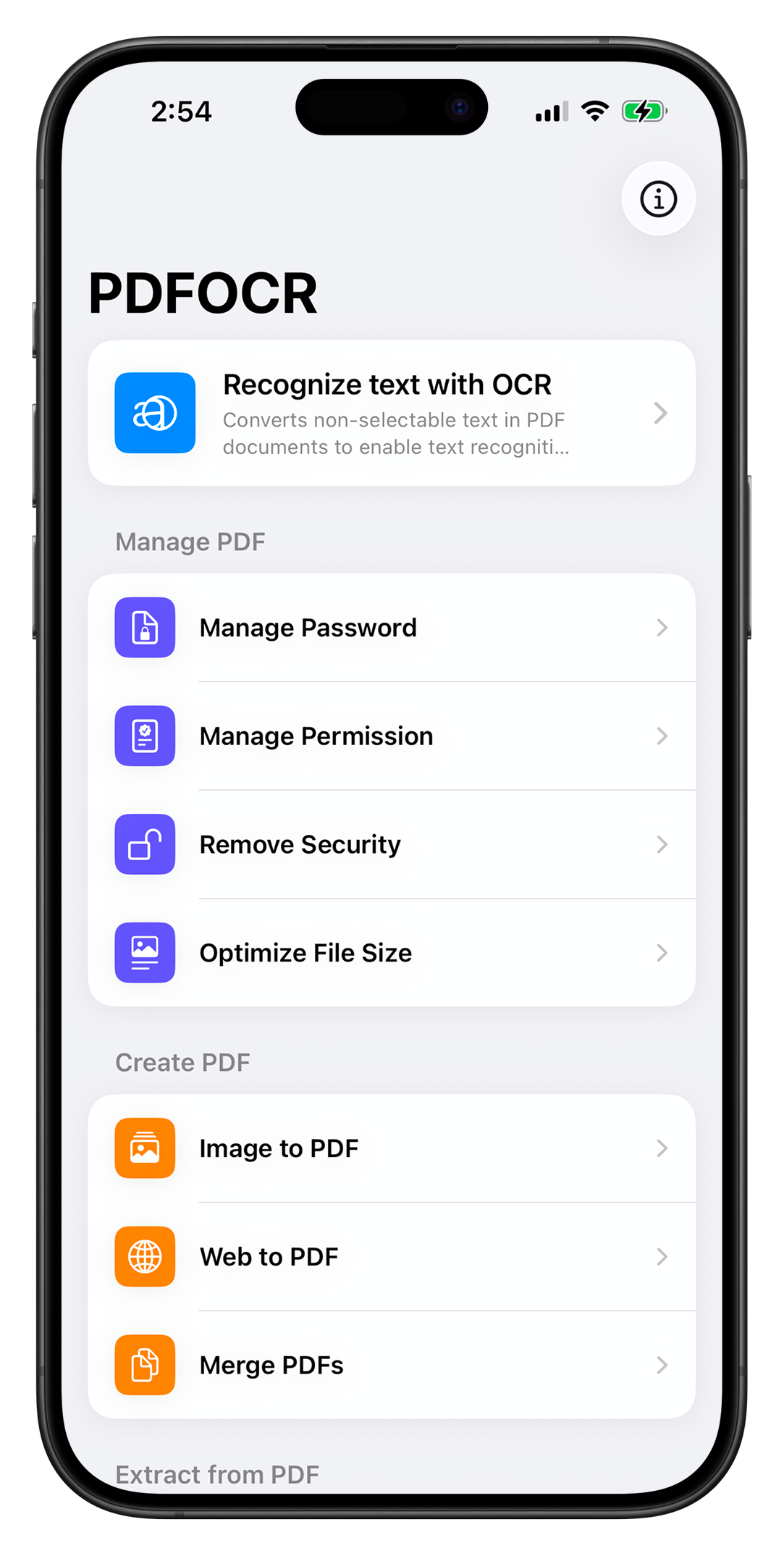
Features
Every PDF tool you need
13 powerful tools to create, manage, and extract — all in one place.
Main Feature
Recognize Text with OCR
Extract editable text from scanned documents and images using powerful on-device OCR technology.
Manage PDF
Manage Password
Add or change password protection to keep your documents secure.
Manage Permission
Control who can print, copy, or modify your PDF documents.
Remove Security
Remove existing password and permission restrictions from your PDFs.
Optimize File Size
Compress PDFs to reduce file size while maintaining quality.
Create PDF
Image to PDF
Convert single or multiple images into a clean, organized PDF document.
Web to PDF
Capture any web page and save it as a perfectly formatted PDF.
Merge PDFs
Combine multiple PDF files into a single document in any order.
Extract from PDF
Split PDF
Break a large PDF into smaller files by page range or individual pages.
PDF to Image
Export PDF pages as high-quality PNG or JPEG images.
Extract TXT
Pull plain text content from any PDF for easy reuse.
Extract RTF
Extract rich formatted text preserving styles and layout.
Simplify your PDF workflow
Stop switching between tools. Get everything done in one app.
