
Meet
Moki
A fast, friendly home for your Markdown — a lovely place to read it, write it, and watch a whole folder of docs come together. Plus code, PDFs, images, and video, all in one app.


Features
Simple, powerful, and fast
Everything you need for Markdown — nothing you don't.
Beautiful Markdown
GitHub-flavored rendering with tables, task lists, and colorful code blocks. Math formulas and diagrams come to life, right from plain text.
Comfortable Editor
Live preview beside the editor, a formatting toolbar, find & replace, smart list continuation, and gentle syntax colors that are easy on the eyes.
Made for Vibe Coding
Open a folder and every Markdown file shows up in the sidebar. Files re-render the instant they change on disk — watch your notes, plans, and AI-written docs update live, all in one place.
Clean PDF Export
Turn any document into a paginated PDF — A4 or Letter, with tidy page breaks that never cut a block in half. An easy-to-read file, ready to share.
5 Preview Themes
GitHub, Serif, Minimal, Solarized, and Dracula — with automatic Light and Dark mode, and an optional comfortable reading width.
Beyond Markdown
View source code with syntax highlighting, plus PDFs, images, and video — right in the app. Files open in tabs you can pin, and QuickLook previews any .md in Finder with a tap of Space.
Display Modes
Three ways to work
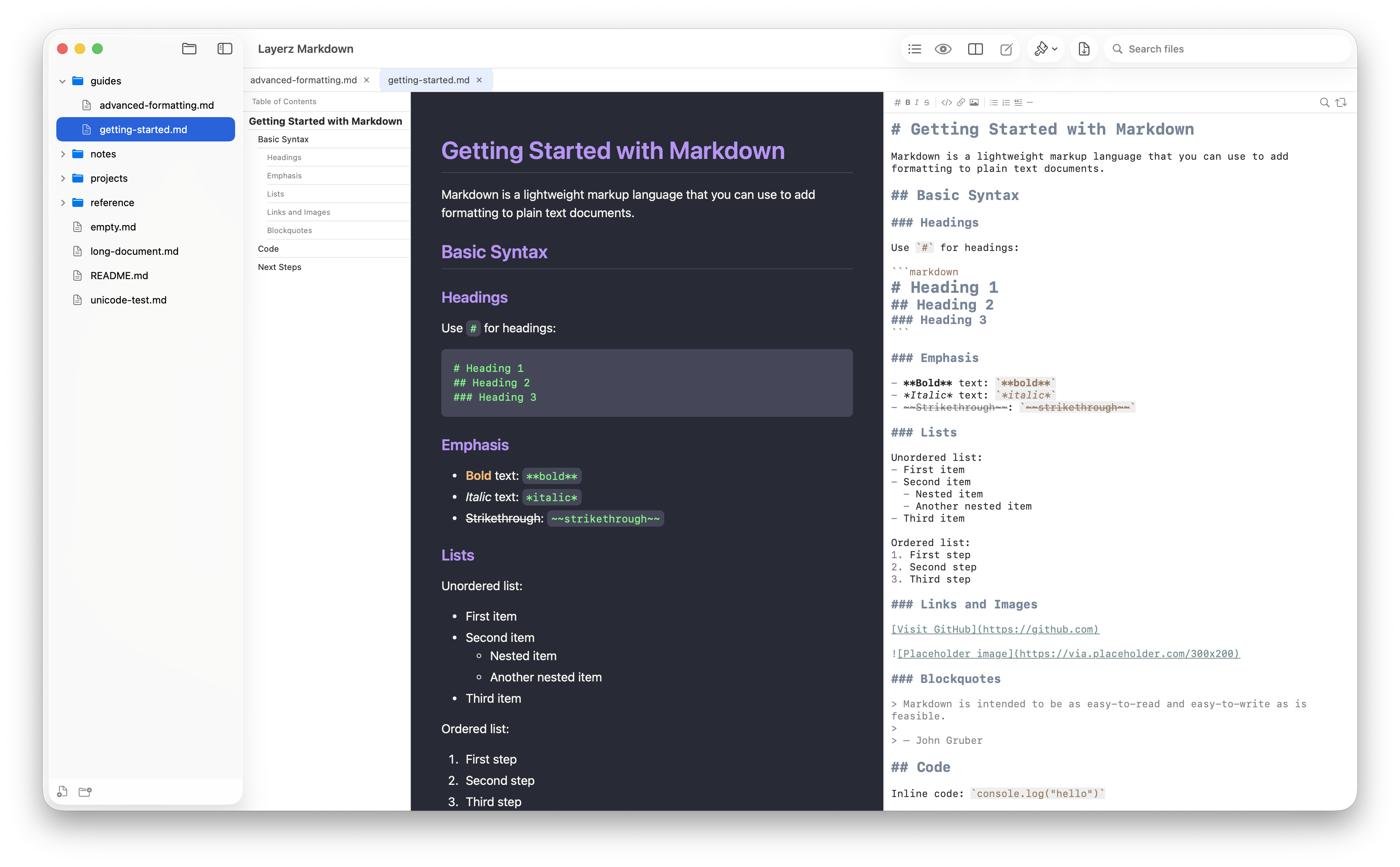
Switch between Viewer, Editor, or Side-by-Side mode with a single shortcut.
Viewer Only
Focus on reading with beautiful rendered output.
Side by Side
Edit and preview simultaneously. See changes in real time.
Editor Only
Full-screen editing with syntax highlighting.
Your Markdown,
beautifully rendered
Available on macOS and iOS. Open any .md file and start working.

